
Download UltraSurf Firefox Tool – Anonymous Browsing, Secure Proxy, Free Privacy Extension
Overview
UltraSurf Firefox Tool is a pro‑privacy internet browsing extension designed specifically for Mozilla Firefox. In an era where Google, Facebook and countless other platforms harvest every click, search query, and location pin, UltraSurf offers a transparent way to surf the web without leaving any identifiable trace. The tool works by encrypting all traffic that passes through Firefox, masking the user’s IP address, and routing requests through a global network of proxy servers.
This not only makes it virtually impossible for third‑party trackers to follow a user’s online steps, but it also bypasses firewalls, circumvents regional censorship, and enables access to blocked content. While the extension runs invisibly in the background—meaning you won’t see a persistent icon or pop‑up—its stealth mode is intentional, ensuring that no additional UI elements betray your privacy efforts. However, the lack of visible feedback can be confusing for newcomers who wonder whether the protection is active.
Despite that, UltraSurf Firefox Tool remains a lightweight, free solution that integrates seamlessly with Firefox, providing a “set‑and‑forget” experience for anyone who values anonymity on the web.
Key Features
- Full Traffic Encryption: All HTTP/HTTPS requests are encrypted before leaving your computer, preventing eavesdropping on public Wi‑Fi or ISP monitoring.
- IP Masking & Proxy Network: Routes traffic through UltraSurf’s worldwide proxy pool, effectively hiding your real IP address and location.
- Firewall & Censorship Bypass: Automatically detects and circumvents network restrictions, allowing access to geo‑blocked sites and censored content.
- Zero‑Footprint Operation: Runs silently in Firefox without visible icons or status bars, ensuring that no extra UI elements compromise privacy.
- Automatic Updates: The extension checks for the latest security patches and server list updates each time Firefox launches.
- Free & No Registration: Users can download and start using UltraSurf immediately without creating an account or paying a subscription fee.
- Lightweight Architecture: Consumes minimal CPU and RAM, preserving the speed and responsiveness of the browser.
Installation & Usage Instructions
Getting UltraSurf Firefox Tool up and running is straightforward, even for users who are not technically inclined. Follow these steps to ensure a secure, private browsing experience:
- Download the Extension: Visit the official UltraSurf website or the Mozilla Add‑ons Marketplace. Click the “Add to Firefox” button to start the download.
- Confirm Installation: Firefox will prompt you with a permission dialog. Review the requested access (network traffic routing) and click “Add.”
- Enable the Extension: After installation, UltraSurf automatically activates. You can verify its status by opening
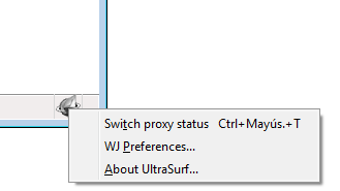
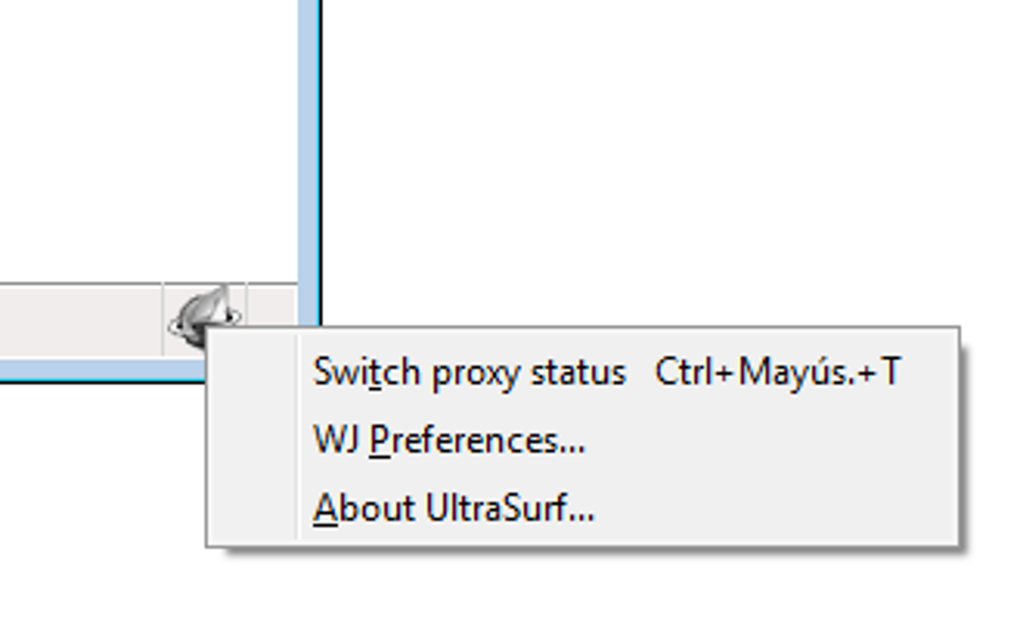
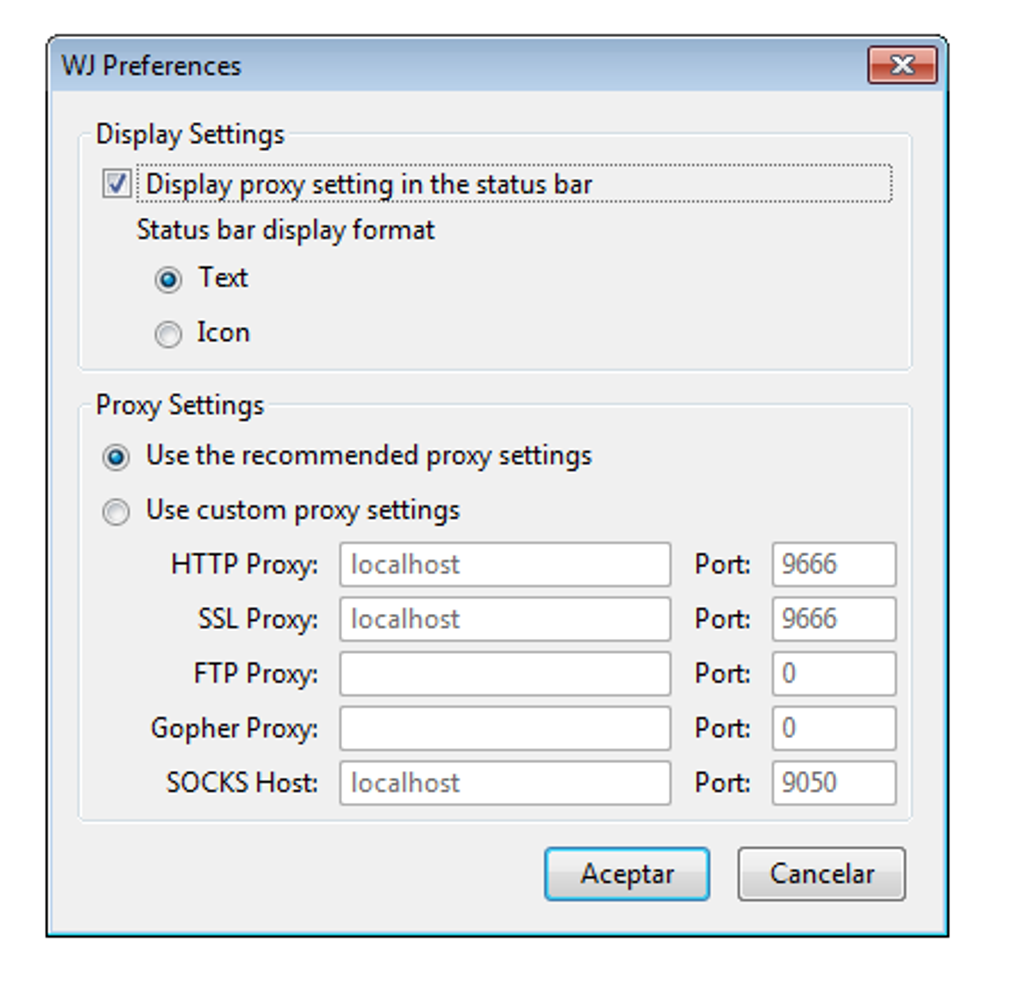
about:addonsin Firefox and locating UltraSurf in the Extensions list. - Configure (Optional): For advanced users, clicking the “Preferences” button opens a minimal settings panel where you can select a specific proxy region or enable “Stealth Mode” to hide the extension from the toolbar.
- Start Browsing: With UltraSurf active, every new tab you open will be routed through the encrypted proxy network. No additional steps are required.
- Testing the Connection: To confirm that your IP address is masked, visit a site such as whatismyip.com. The displayed IP should belong to UltraSurf’s server, not your ISP.
Should you ever need to pause protection, simply return to about:addons and toggle the extension off. Remember to re‑enable it before accessing sensitive sites, as the tool does not retain any session data once disabled.
Compatibility, Pros & Cons
UltraSurf Firefox Tool is built exclusively for the Firefox browser on desktop operating systems. It supports Windows 10/11, macOS 10.15 (Catalina) and newer, as well as Linux distributions that can run Firefox. Mobile versions of Firefox (Android & iOS) are not currently compatible because the extension relies on desktop‑only proxy APIs.
Pros
- Free, with no hidden subscription fees.
- Strong encryption protects data on public networks.
- IP masking makes location tracking virtually impossible.
- Works silently without cluttering the browser UI.
- Automatically updates to stay ahead of new censorship methods.
Cons
- No visible indicator; users may be unsure if it’s active.
- Limited to Firefox desktop; no support for mobile browsers.
- Occasional slower page loads due to proxy routing.
- Cannot bypass advanced corporate firewalls that block proxy traffic.
- No built‑in ad‑blocking; users must install a separate extension for that purpose.
Overall Rating: 4 out of 5 stars – UltraSurf delivers reliable anonymity for Firefox users, though the lack of a UI indicator can be unsettling for beginners.
Frequently Asked Questions
Is UltraSurf Firefox Tool really free?
Yes, the extension is completely free to download and use. There are no hidden subscription fees or mandatory donations, although the developers accept voluntary contributions to support server costs.
Can UltraSurf be used on Windows, macOS, and Linux?
UltraSurf Firefox Tool works on all desktop versions of Firefox that run on Windows 10/11, macOS 10.15 or later, and most Linux distributions. Mobile versions of Firefox are not supported at this time.
How can I verify that my IP address is hidden?
Visit a site such as whatismyip.com after enabling UltraSurf. The displayed IP should belong to UltraSurf’s proxy network, not your personal ISP address.
Will using UltraSurf slow down my browsing?
Because traffic is routed through remote proxy servers, you may notice a slight increase in load times, especially for media‑heavy sites. However, the impact is generally modest and is the trade‑off for enhanced privacy.
Is there any way to see if UltraSurf is actively protecting me?
While the extension runs invisibly, you can test its operation by checking your IP address on an external site or by reviewing the proxy connection logs in the extension’s optional preferences panel.
Conclusion & Call to Action
UltraSurf Firefox Tool offers a solid blend of encryption, IP masking, and firewall bypass capabilities for anyone who wants to browse the web without leaving a digital fingerprint. Its free, lightweight design makes it an attractive option for privacy‑conscious users, especially those who spend most of their online time in the Firefox ecosystem. The main drawback—its invisible operation—can be mitigated by performing occasional IP checks or enabling the optional status indicator in the settings. If you value anonymity, want to avoid targeted ads, and need a reliable way to circumvent regional blocks, UltraSurf is a worthy addition to your privacy toolkit.
Ready to browse without being tracked? Download UltraSurf Firefox Tool now and enjoy a safer, more private internet experience.







